

I’ve lost count of how many times I’ve typed something into an internal company search bar and thought, “There’s no way this tiny box actually understands what I mean.” And honestly, most of the time, it doesn’t. That’s why so many teams are suddenly curious about hybrid search in the enterprise. As companies try to mix generative AI, vector search, and old-school keyword methods, they’re really chasing one thing: answers that actually make sense.
It’s a weird moment where business data is exploding, employees expect instant clarity, and leaders want search systems that feel as smart as the tools we use at home. Hybrid search brings those worlds together—like giving your organization a brain upgrade without replacing everything you already rely on. And truth be told, once you see how it works, it’s hard to imagine going back.
Why Traditional Enterprise Search Falls Short

Let’s be honest — most enterprise search tools feel like they’re stuck somewhere between 2008 and a filing cabinet from the ‘90s. You type in something simple like “latest pricing guidelines” and end up with a wall of outdated PDFs, random spreadsheets, and a lonely wiki page that hasn’t been touched since the last re-org. It’s frustrating, but it’s also why companies are looking harder at hybrid search in the enterprise.
Limits of Keyword-Only Search
If you’ve ever typed a phrase into a company search bar and thought, “No, that’s not even close to what I meant,” you’re not alone. Keyword-only search depends on exact matches, which sounds fine until you realize people rarely describe things the same way.
One team says “handoff.” Another calls it “transition.” The document itself says “project roll-over.” Good luck finding that with plain old keywords.
And when you’re dealing with thousands of pages, outdated content, and a dozen versions of every file, keyword search feels like playing hide-and-seek with information — except the information always wins.
Ever tried guessing the “right word” instead of the right answer? Yeah… that’s the problem.
Gaps in Vector-Only Search
Now, vector or semantic search sounds magical — “it understands meaning!” — until it doesn’t. Truth is, semantic tools sometimes get too confident.
Ask a vector system about “budget approval steps,” and it might return content on budgeting tools, financial tips, or a single random note mentioning “approvals.”
It’s like talking to a coworker who gets the vibe but didn’t actually read the document you needed.
It’s like talking to a coworker who gets the vibe but didn’t actually read the document you needed.
Without grounding in exact matches, compliance-heavy industries get nervous. Accuracy matters. Precision matters. And vector search, on its own, can drift into interpretation rather than truth.
You ever get an answer that feels close… but not trustworthy? That’s pure vector behavior.
Generative AI Grounding Challenges
Generative AI made search more powerful — and also a little chaotic. When an LLM doesn’t get solid, relevant context from the search layer beneath it, it starts guessing. And guessing at enterprise scale can turn into misinformation real quick.
For example, ask a chatbot about a refund policy, and if it can’t find the real doc, it’ll happily invent a friendly-sounding version. That’s great for fiction… terrible for business.
Hybrid search helps stop these hallucinations by giving generative AI exactly what it needs — tight, accurate, verified context from both keyword and vector systems. Without that grounding, AI is basically a confident storyteller with no fact-checker.
Ever had AI sound convincing but completely wrong? Exactly.
What Hybrid Search Means in the Enterprise Context

If you’ve ever searched for something at work and felt like the system gave you either “too strict” or “too vague” results, you’ve already brushed up against the reason hybrid search exists. The truth is, enterprise data is messy. It’s scattered across emails, PDFs, chat threads, old Confluence spaces, and places nobody admits to using. Hybrid search steps in like a translator that speaks every dialect your company has created over the years.
Hybrid Search Defined
Picture two coworkers. One is extremely literal — if you don’t say the exact word, they’re lost. The other gets the idea but sometimes wanders off into interpretation land. Keyword search is the literal coworker. Vector search is the “I get what you mean… kind of” one.
Hybrid search blends both. It looks for exact matches and meaning simultaneously. That’s why it’s such a big deal for hybrid search in the enterprise — it gives you accuracy without losing context.
Have you ever wished your search tool understood both your words and your intention? That’s the whole point.
Core Architecture Overview
The architecture isn’t as intimidating as it sounds. Think of it like two lanes on a highway running side by side.
- One lane handles keyword indexing — fast, literal, very organized.
- The other handles vector embeddings — flexible, semantic, meaning-driven.
- And in the middle is a merge lane where the system blends the results and ranks them.
Real-world example?
You search for “customer onboarding steps.”
Keyword search returns exact documents that contain those words.
Vector search pulls in pages describing “new client setup” or “welcome workflows.”
Then a ranking layer combines them, giving you a useful list.
You search for “customer onboarding steps.”
Keyword search returns exact documents that contain those words.
Vector search pulls in pages describing “new client setup” or “welcome workflows.”
Then a ranking layer combines them, giving you a useful list.
It’s like having two search assistants and a third one who decides which answers make the most sense.
How Hybrid Powers Generative AI
Here’s where things get interesting. Generative AI is powerful, sure — but it’s also a smooth talker. If it doesn’t find the right info, it’ll still give you an answer… even if it’s not the right one. That’s where hybrid search becomes the grounding layer.
When hybrid search feeds an LLM the right mix of precise and contextual info, the AI suddenly becomes way more reliable. Your chatbot stops guessing. Your internal agent stops hallucinating. And your team stops questioning every AI-generated response.
Ever wondered why some AI tools give great answers while others drift into fiction? It usually comes down to how well they’re grounded — and hybrid search is the secret sauce.
Business Benefits & Strategic Value for Enterprises

If you’ve ever watched a team member spend half their morning searching for one policy document, you know exactly why search matters more than most leaders admit. When employees can’t find what they need, everything slows down—projects, decisions, even customer service. Hybrid search in the enterprise isn’t just a “tech upgrade.” It quietly rewires how fast a company can think, learn, and respond.
Better Relevance & Productivity
There’s a certain relief that comes from typing a question and actually getting the answer you hoped for. Not twenty half-relevant files. Not a guessing game. Just the right thing.
Hybrid search delivers that by balancing meaning with precision.
For example, if someone asks, “How do we handle contract renewals?”, the system pulls both the official renewal process and the related guidance that people often forget exists.
For example, if someone asks, “How do we handle contract renewals?”, the system pulls both the official renewal process and the related guidance that people often forget exists.
It’s the difference between stumbling through the day and moving with clarity. And honestly, how much time does your organization lose each week to people digging through shared drives?
Better search isn’t a luxury—it’s a productivity multiplier hiding in plain sight.
Stronger Self-Service & Compliance
In large companies, information gets siloed fast. Teams reinvent answers because they can’t find the originals. Hybrid search reduces that friction by making reliable content easy to discover—even for employees who don’t know the “right” search terms.
It’s also a quiet hero for compliance-heavy industries. With hybrid search, people are more likely to surface approved, up-to-date materials rather than outdated versions lurking in old folders.
Imagine an employee handling a customer request at 4:45 PM. Wouldn’t it be nice if they could confidently find the correct policy instead of winging it?
When self-service gets easier, compliance improves naturally.
Key KPIs & ROI
Executives love numbers, and hybrid search actually gives you some strong ones. You can measure:
- How quickly employees find information
- How often do AI assistants pull the right documents
- Reduction in duplicated work
- Lower support ticket volume
- Faster onboarding for new hires
Think of it as improving the company’s internal “response time.”
When people get answers faster, everything else speeds up—customer delivery, decision-making, sales cycles.
When people get answers faster, everything else speeds up—customer delivery, decision-making, sales cycles.
Have you ever calculated the cost of employees wasting even 10 minutes a day searching for something? Multiply that by thousands of people. The ROI becomes obvious very fast.
Core Architectural Components & Methods
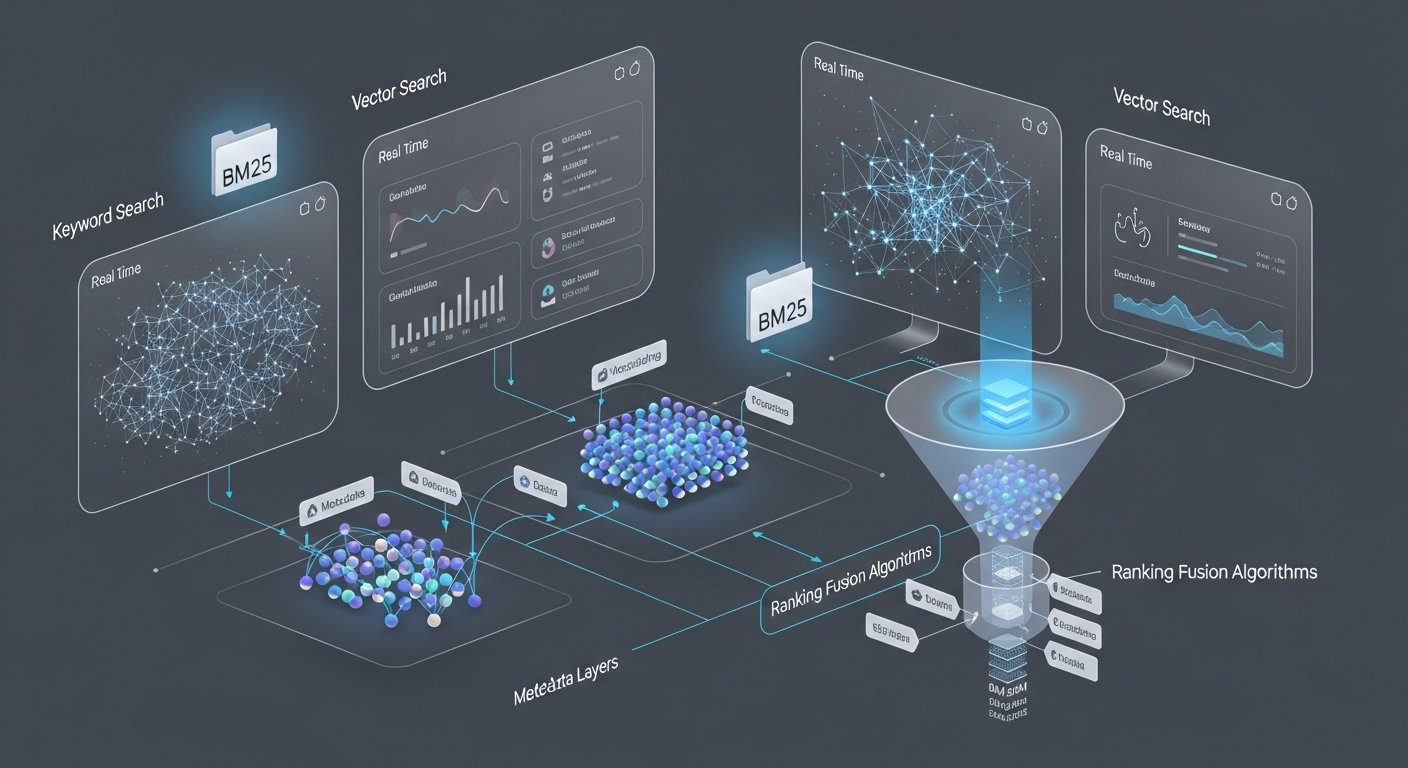
If you’ve ever wondered why search results sometimes feel spot-on and other times totally off, it usually comes back to the “plumbing” behind the scenes. Hybrid search in the enterprise isn’t magic — it’s a smart blend of different systems doing their part, like a well-organized team where everyone has a role.
Lexical Search (Keyword Path)
Keyword search is the classic workhorse. It’s rigid, sure, but sometimes rigid is exactly what you need.
Think of it as the coworker who follows instructions to the letter. If you search for “expense policy 2024,” this system will find every document that contains those exact words, no guesswork required.
The downside? If someone mislabeled a document or used different terms, the keyword search simply shrugs. But when precision matters — version numbers, product names, compliance terms — it’s unbeatable.
Ever notice how sometimes the exact phrase saves the day? That’s a lexical search stepping in.
Vector Search (Semantic Path)
Vector search is the opposite personality — the coworker who gets the “big idea” even if you phrase it differently.
Instead of hunting for exact words, it looks at meaning.
Ask it for “guidelines for new hires,” and it can find a document called “Onboarding Playbook” even if the title doesn’t match your wording.
Ask it for “guidelines for new hires,” and it can find a document called “Onboarding Playbook” even if the title doesn’t match your wording.
It’s flexible, intuitive, and sometimes a little too confident. But when users phrase things in natural language (which they do almost every time), vector search fills the gaps.
Have you ever asked something casually and hoped the system just “gets it”? That’s where vectors shine.
Metadata & Filters
This is the quiet hero of enterprise search. Every piece of content carries hidden signals — dates, authors, departments, project tags, and access levels.
Filters and metadata help narrow down results when the search universe gets overwhelming. Searching for “pricing sheets” across 15 years of data? Filters let you pick the year, the department, or even the product team.
It’s like having a librarian who not only knows every book, but also when it was printed and who it belongs to.
Ever wished your search results had a quick way to slice away the noise? That’s metadata at work.
Ranking & Fusion Methods
Once the system collects keyword hits, semantic matches, and filtered items, it still has one job left: telling you which answers matter most.
That’s where ranking and fusion come into play. Techniques like Reciprocal Rank Fusion (RRF) blend results from different search paths and reorder them based on usefulness.
Imagine having two experts — one literal, one contextual — and then a third expert who decides which of their answers should appear first. That’s what fusion does. It reduces bias from any single method and gives you a balanced top list.
Have you ever scrolled through ten irrelevant results before finding the right one? Fusion fixes that.
Typical Query Flow
Here’s what actually happens behind the scenes, in human terms:
- You type a question into the search bar.
- Keyword search grabs exact matches.
- Vector search finds meaning-based matches.
- Metadata applies guardrails — filters, tags, security rules.
- The fusion layer combines everything into a single, ranked list.
- If an AI assistant is involved, it uses that list as grounded context.
Six steps, all happening in under a second — pretty wild when you think about it.
Ever wonder why a good search system feels almost psychic? It’s because all these layers are working together without you noticing.
Generative AI & Hybrid Search: A Symbiotic Pair

If you’ve spent any time with generative AI tools, you’ve probably had a moment where the answer looked perfect… until you realized it was confidently wrong. It’s a strange mix of impressive and terrifying. That’s exactly where hybrid search steps in. It doesn’t just support generative AI — it keeps it grounded in reality, especially inside complex enterprise environments.
Reducing Hallucinations
Let’s be honest: AI hallucinations make for funny screenshots online, but inside an enterprise? Not so funny. One wrong policy answer or fictional product detail can create real operational messes.
Hybrid search reduces those risks by giving AI a reliable foundation. Instead of letting the model “fill in the blanks,” it feeds it verified documents, exact matches, and context-rich semantic results. It’s like handing the AI a cheat sheet that says, “Stick to these facts. Seriously.”
Have you ever watched an AI answer sound so confident that you almost trusted it? That’s exactly why grounding matters.
Hybrid Retrieval for RAG
Retrieval-Augmented Generation (RAG) has become the go-to approach for enterprise AI, but it’s only as good as the information it retrieves. A RAG pipeline that pulls the wrong content might as well not exist.
Hybrid search boosts RAG by combining keyword precision with semantic flexibility. Picture a user asking, “What’s the current process for vendor onboarding?” Keyword search grabs the exact process document. Vector search brings in related guides, FAQs, and training notes.
Together, they give the AI a complete picture, not a partial one. That’s why hybrid retrieval makes RAG far more robust — it prevents the model from relying on incomplete or outdated context.
Ever notice how some AI-generated answers feel “thin,” like they’re missing something? That’s usually weak retrieval.
Impact on Enterprise Knowledge Apps
Hybrid search doesn’t just make chatbots smarter. It transforms every knowledge-based app employees rely on — help centers, internal portals, customer support tools, onboarding systems, you name it.
Suddenly, these apps can:
- Understand natural language without losing accuracy.
- Surface the right answers faster.
- Adapt to how different teams phrase the same thing.
- Pull the latest, approved content without confusion.
Imagine a customer support rep trying to fix an issue with only a few minutes left on a call. With hybrid search powering their tools, they get answers that make sense, backed by real documents, not AI guesses. That’s a real productivity lift — and a stress reducer.
Have you ever felt the difference between a smart tool and one that actually understands you? Hybrid search helps make that jump.
Scaling, Performance & Cost Considerations

If you’ve ever watched a search bar spin a little too long, you know exactly why scaling matters. People expect instant answers — especially at work — and the bigger your company grows, the heavier the strain on your search systems. Hybrid search in the enterprise brings a ton of value, but it also comes with important decisions about speed, storage, and cost that you don’t want to ignore.
Latency & Indexing at Scale
The funny thing about enterprise search is that it works great… until it suddenly doesn’t. As soon as you cross a certain volume — thousands of files turning into millions — the system can slow down like an old laptop running on a low battery.
Hybrid search helps, but it also adds more moving parts. You have keyword indexes, vector embeddings, and sometimes real-time updates. If each one isn’t optimized, users start noticing lag. And let’s face it, nothing kills trust in a search tool faster than waiting.
A simple example:
If Finance uploads 200 new PDFs overnight, both the keyword and vector pipelines need to index them quickly enough so people aren’t stuck finding outdated versions the next morning.
If Finance uploads 200 new PDFs overnight, both the keyword and vector pipelines need to index them quickly enough so people aren’t stuck finding outdated versions the next morning.
Ever tried searching for something urgently only to get stale results? That’s a classic indexing bottleneck.
Deployment Options
Every enterprise has its own comfort zone when it comes to deployment — and “what’s easiest” isn’t always “what’s smartest.”
- Cloud provides fast scaling, cheaper experimentation, and managed vector databases.
- On-prem offers stronger control for data-sensitive industries.
- Hybrid environments happen when reality hits: some data can move, some simply can’t.
The trick is acknowledging messy constraints, not pretending everything is cloud-ready. Hybrid search works across all these setups, but performance varies based on where your data actually lives.
Have you ever seen a tool run beautifully in testing… then slow to a crawl in production? Deployment choices often explain why.
Vector DB & Search Engine Choices
Choosing a vector database these days feels a bit like picking a new phone — there are too many options, everyone claims “best performance,” and the differences only appear once you start using it.
Pinecone shines with scale and ease of use.
Quadrant is fast and open-source.
Weaviate brings modular flexibility.
Elasticsearch and OpenSearch offer built-in hybrid search features.
Quadrant is fast and open-source.
Weaviate brings modular flexibility.
Elasticsearch and OpenSearch offer built-in hybrid search features.
The real question isn’t “Which one is best?” but “Which one fits your data shape and traffic pattern?”
A customer support team with 10 million tickets has completely different retrieval needs than a legal team storing 40,000 long-form documents.
A customer support team with 10 million tickets has completely different retrieval needs than a legal team storing 40,000 long-form documents.
Ever picked a tool because it sounded impressive… then realized it didn’t match your workflow? Vector DBs can be that way if you don’t choose carefully.
Cost Modeling
Nobody likes talking about costs until the monthly bill shows up, and then everyone panics. Hybrid search, with its dual indexing paths and embeddings, can get expensive if you don’t plan ahead.
Storage grows fast.
Compute grows faster.
Embedding pipelines? They can quietly become your new budget headache.
Compute grows faster.
Embedding pipelines? They can quietly become your new budget headache.
A simple rule of thumb:
- Optimize embeddings early
- Use hybrid fusion to avoid over-indexing
- Right-size your vector DB
- Cache results for high-frequency queries
Cost isn’t about spending less — it’s about spending smart. Hybrid search gives you flexibility, but only if you treat cost as part of your architecture, not an afterthought.
Ever seen a cloud bill with a number you didn’t expect? Yeah… modeling matters.
Governance, Compliance & Risk Management

If there’s one thing every enterprise eventually learns, it’s this: finding information is great, but finding the wrong information can cost you. Hybrid search gives companies a big leap forward in accuracy, but only if it’s paired with solid governance and thoughtful risk controls. Otherwise, the smartest search engine in the world can still hand out answers you never intended anyone to see.
Data Governance Needs
Every company says they care about governance, but you really feel its importance the moment something goes wrong. Maybe an employee pulls an outdated policy during a customer call. Or maybe the AI assistant surfaces a draft document that was never supposed to leave the legal team’s folder. That’s when governance stops being a checklist and becomes a real concern.
Hybrid search relies on clean metadata, clear access rules, and version control. Without those guardrails, the system can’t tell the difference between the final version of a compliance form and the rough draft someone wrote on a stressful Friday afternoon.
Have you ever seen two teams argue over which document was “the real one”? That’s exactly what governance prevents.
Privacy & Auditability
In large organizations, not everyone should see everything — and that’s not about secrecy; it’s about protecting employees, customers, and the business itself. Hybrid search must be smart enough to respect access levels across both keyword and vector paths.
That means if an employee doesn’t have permission to view a sensitive HR file, the system shouldn’t index it for vector search or semantic retrieval either. And yes, that includes generative AI tools — because once an AI model ingests sensitive text, you can’t simply “un-ingest” it.
Audit trails matter too. Leaders want to know who searched what, when, and why, especially in industries like finance or healthcare. A solid hybrid setup makes these logs easy to review without slowing down the search experience.
Ever had that uneasy feeling that a system might be showing more than it should? Auditability fixes that.
Bias & Compliance Risks
Bias in AI isn’t just a buzzword — it shows up in real decisions. Maybe a model prioritizes certain documents because of how they’re written. Or maybe it keeps surfacing old content that reflects outdated policies. In an enterprise setting, these subtle patterns can lead to bigger problems.
Hybrid search reduces some risks by combining literal matches (keyword signals) with semantic understanding, providing the model with a more balanced context. But it still needs human oversight: reviewing index rules, monitoring AI behavior, and regularly updating content.
Compliance risks often come from simple mistakes, not malicious intent. An employee clicks the wrong link. A document gets mislabeled. A model pulls something from a deprecated folder. Hybrid search helps minimize those slip-ups — but it isn’t a free pass.
Have you ever seen AI give an answer that felt “off” in a way that made you pause? That’s where bias hides.
Adoption Roadmap & Enterprise Best Practices

Rolling out hybrid search isn’t like flipping a switch. It feels more like renovating a busy kitchen while everyone’s still trying to cook dinner. People still need answers, teams still rely on old processes, and leadership wants quick wins without risking disruption. With the right roadmap, though, adoption becomes smoother—and honestly, a lot more exciting.
Maturity Stages
Most organizations go through predictable stages, even if they don’t realize it.
At first, it’s a simple question: “Can we make search better?”
Then comes a small pilot, usually with one department that’s already drowning in outdated content.
At first, it’s a simple question: “Can we make search better?”
Then comes a small pilot, usually with one department that’s already drowning in outdated content.
As results improve, teams get braver. They expand to more data sources, add metadata rules, tune ranking methods, and finally integrate generative AI on top of it all. By the time hybrid search becomes fully enterprise-wide, it feels like the nervous early steps never happened.
Ever look back at a project and think, “We really had no idea what we were doing at first”? That’s normal here.
Stakeholder Alignment
Hybrid search touches everyone—IT, legal, compliance, content creators, customer support, and HR. And each one has different priorities. IT wants performance. Compliance wants safety. Employees just want a search bar that doesn’t annoy them.
The trick is aligning these groups early. Set shared goals like reducing search time, improving policy accuracy, or supporting generative AI initiatives. When people feel included, adoption becomes a team sport instead of another “IT project” dropped onto everyone’s plate.
Have you ever watched a project fail simply because two teams weren’t on the same page? Alignment prevents that.
UX for Hybrid Search
Search UX is often ignored until users start complaining, which happens fast. Hybrid search introduces new behaviors—richer results, semantic matches, filters, and AI summaries. If employees don’t understand why results changed, they may trust the system less.
Simple UX touches—like highlighting semantic matches, grouping similar results, or showing “why this result appears”—make a huge difference. And don’t underestimate training. Even a short walkthrough can save weeks of confusion.
Have you ever opened a new interface and immediately thought, “Nope, I’m not dealing with this today”? Good UX prevents that reaction.
Common Pitfalls
The biggest pitfalls aren’t technical. They’re human.
Some teams index everything, thinking “more is better”—which usually leads to clutter. Others ignore metadata, resulting in chaotic outcomes. And some rush generative AI integration before fixing basic governance issues, causing more risk than value.
Some teams index everything, thinking “more is better”—which usually leads to clutter. Others ignore metadata, resulting in chaotic outcomes. And some rush generative AI integration before fixing basic governance issues, causing more risk than value.
Another common mistake: assuming hybrid search replaces content cleanup. It doesn’t. Bad content stays bad, no matter how smart the retrieval system is.
Have you ever tried organizing a messy closet by buying nicer shelves? Yeah… hybrid search can feel like that if fundamentals aren’t addressed.
Vendor vs Build Your Own: Decision Framework
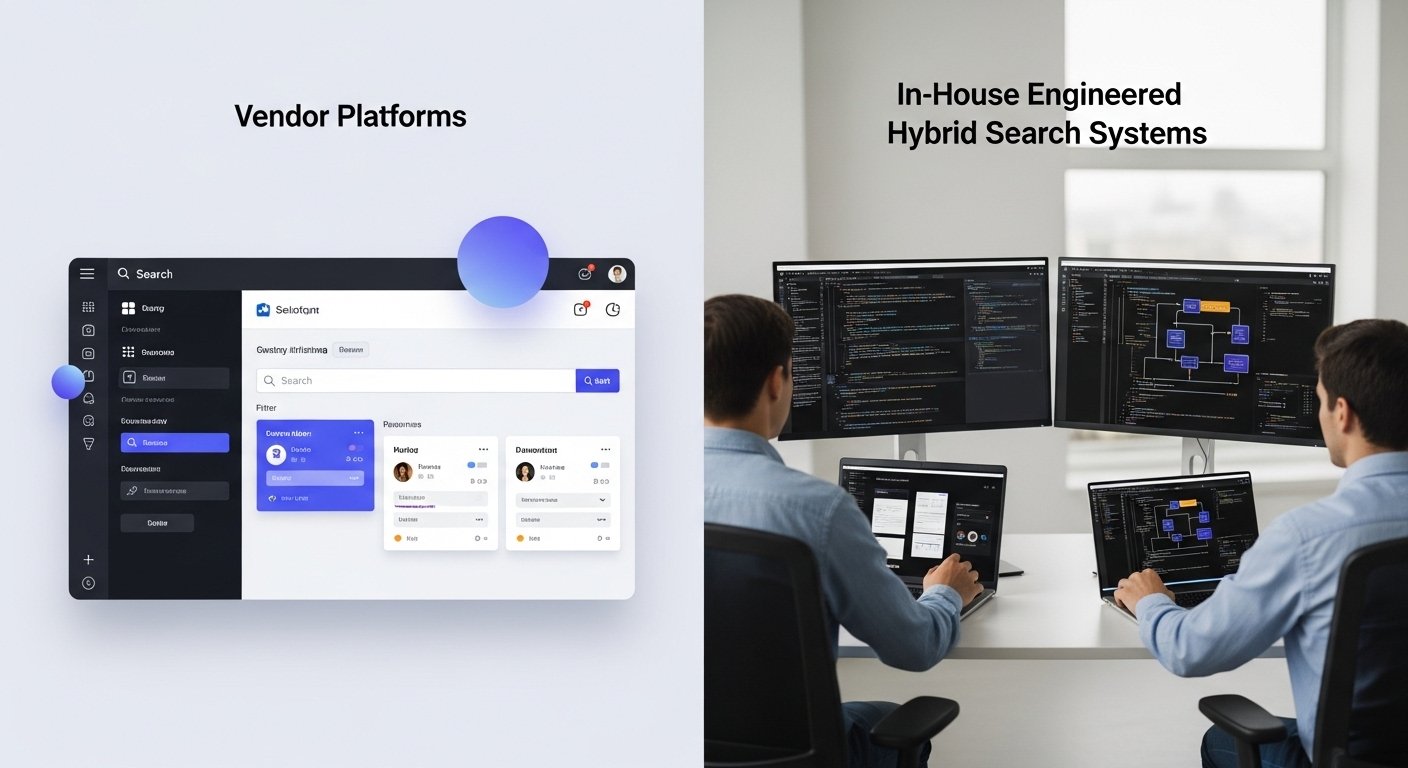
Every enterprise hits this moment sooner or later — someone asks, “Should we build this ourselves or just buy a platform?” And suddenly the room gets very quiet. Because everyone knows the choice isn’t simple. It’s a mix of budget, talent, timelines, risk tolerance, and sometimes a bit of internal politics.
Hybrid search makes the decision even more interesting because it touches multiple teams: AI, engineering, IT, compliance, content owners… You name it.
Build-Your-Own Pros & Cons
Building your own hybrid search stack can feel incredibly empowering. Your engineers get full control. Your data stays exactly where you want it. And you can tweak everything — the indexes, the ranking logic, the embeddings, even the fusion algorithms.
But control has a cost.
You own every update, every integration, every performance issue, and every outage. If the system slows down at 3 AM, it’s your team’s problem. And let’s be honest — maintaining dual pipelines (keyword + vector) is not a small job.
You own every update, every integration, every performance issue, and every outage. If the system slows down at 3 AM, it’s your team’s problem. And let’s be honest — maintaining dual pipelines (keyword + vector) is not a small job.
Some companies thrive with custom builds. Others burn out halfway through.
Ever started a DIY project at home and halfway in thought, “Why didn’t I just pay someone to do this?” Same energy.
Commercial Platform Pros & Cons
Buying a vendor solution feels like choosing the express lane. Fast setup, strong support, ready-made vector search capabilities, and often built-in hybrid retrieval tuned by people who obsess over this stuff every day.
You also get something underrated: predictability.
Predictable hosting. Predictable performance. Predictable updates.
Predictable hosting. Predictable performance. Predictable updates.
But platforms come with trade-offs.
You may lose some flexibility. You may pay more over time. And if the vendor’s roadmap doesn’t match yours, you’re stuck waiting for features you needed yesterday. Vendor lock-in isn’t a myth — it’s something every enterprise thinks about.
You may lose some flexibility. You may pay more over time. And if the vendor’s roadmap doesn’t match yours, you’re stuck waiting for features you needed yesterday. Vendor lock-in isn’t a myth — it’s something every enterprise thinks about.
Ever signed up for a tool you loved at first… until you realized switching away would be a nightmare? That’s the downside.
Evaluation Criteria
Choosing between build vs buy shouldn’t be a guess. Here’s the human-friendly checklist most teams actually use (even if they don’t say it out loud):
- How urgent is the need?
If you need a hybrid search working in months, buy. If you have time and engineering capacity, building is an option. - Do you have the right talent?
Vector indexing, semantic scoring, and retrieval pipelines require specialized skills. - How sensitive is your data?
Some companies simply can’t use cloud vendors for certain documents. - What’s your long-term vision?
If hybrid search becomes a core differentiator, building might make sense. - What’s the total cost — not just the upfront cost?
Vendor fees vs. engineering hours vs. maintenance vs. upgrades. - Who will own the system long-term?
A tool without clear ownership usually falls apart quietly.
Have you ever made a decision that looked great on paper but didn’t fit your team’s reality? This framework helps avoid that.
Future Trends & What to Watch Next

If the last few years have taught us anything, it’s that search isn’t slowing down. Every time you think systems can’t get smarter, another breakthrough shows up. Hybrid search in the enterprise is just the beginning — the real transformation is still unfolding, and honestly, it’s pretty exciting to watch.
Learned Sparse Retrieval
There’s a shift happening behind the scenes. Traditional keyword search relies on exact matches, but learned sparse retrieval extends those rules, teaching an AI model to apply them more intelligently. It’s like giving keyword search a brain upgrade.
Imagine searching for “client handover steps” and the system knows that “transition checklist” is semantically relevant — but still respects exact wording when it matters. It blends the best of both worlds without going full semantic or full literal.
This approach will make hybrid systems far more intuitive, especially for teams that phrase things differently.
Ever typed a question and felt the system almost understood you? Learned sparse retrieval aims to close that tiny but annoying gap.
Multi-Modal Hybrid Search
Workplace knowledge isn’t just text anymore. It’s videos, screenshots, Slack threads, voice notes, design files, and training clips — and people expect search to understand all of it.
Multi-modal hybrid search brings that to life.
Picture this:
You upload a screenshot of an error message, and the system instantly shows related documentation, past tickets, and a two-minute training video explaining the fix.
Picture this:
You upload a screenshot of an error message, and the system instantly shows related documentation, past tickets, and a two-minute training video explaining the fix.
Or imagine asking, “Where’s the slide with the new hiring roadmap?” and the system finds the exact slide inside a 40-page deck.
It feels almost magical, but it’s where everything is heading.
Have you ever wasted ten minutes hunting through slides or videos? Multi-modal search is about to make that problem disappear.
Advancing Ranking Models
Ranking is where the magic of relevance really happens. Up until now, ranking has been a blend of heuristics, handcrafted weights, and fusion techniques. But future ranking models will learn from user behavior automatically — what people click, what they ignore, what they rewrite, even how long they spend on certain pages.
Think of it like a search system that evolves with your organization.
When a new policy becomes important, ranking adjusts naturally.
When outdated content fades away, the model stops prioritizing it.
When a new policy becomes important, ranking adjusts naturally.
When outdated content fades away, the model stops prioritizing it.
It’s more human, more adaptive, and far more aligned with how people actually work.
Ever felt like search results were stuck in the past, showing the same old content on top? Advanced ranking models fix that by learning in real time.
Conclusion
It’s funny how something as simple as “finding the right information” can shape the entire rhythm of a workday. When people spend less time searching and more time doing, everything feels lighter, faster, and a little more human. That’s really the promise behind hybrid search in the enterprise — the idea that technology can get out of the way and actually help us think more clearly.
As generative AI, vector search, and keyword methods keep blending together, the tools we rely on will only get smarter and more intuitive. And maybe that’s the real opportunity here: building systems that understand us just a bit better.
If you’re exploring this space, it’s worth asking yourself one simple question: What kind of search experience do you want your teams to have a year from now? The answer usually points the way forward.
FAQs
Q: How is hybrid search different from just using vector search or keyword search alone?
A: Think of vector search as “find what I mean,” while keyword search is “find what I said.” Hybrid search blends both, so you get results that match your words and your intent. This is especially helpful in complex enterprise setups with diverse content.
A: Think of vector search as “find what I mean,” while keyword search is “find what I said.” Hybrid search blends both, so you get results that match your words and your intent. This is especially helpful in complex enterprise setups with diverse content.
Q: Can generative AI really trust the results from hybrid search to give accurate answers?
A: Yes — when hybrid search is done right, it feeds the generative AI model content that’s both contextually relevant and precisely matched. That keeps the AI from making things up and improves reliability across your enterprise knowledge base.
A: Yes — when hybrid search is done right, it feeds the generative AI model content that’s both contextually relevant and precisely matched. That keeps the AI from making things up and improves reliability across your enterprise knowledge base.
Q: Will hybrid search in an enterprise cost way more than traditional search?
A: It can be more complex, but smart planning keeps costs reasonable. You’ll invest in indexing and vector embedding, sure, but the productivity gains and fewer wasted hours often make it worth it.
A: It can be more complex, but smart planning keeps costs reasonable. You’ll invest in indexing and vector embedding, sure, but the productivity gains and fewer wasted hours often make it worth it.
Q: What kind of content or data doesn’t work well with hybrid search?
A: Very new content with no metadata or unique jargon might miss the mark initially. Also, if access permissions or governance aren’t set up, hybrid search might surface results you’d rather not expose — so setup matters.
A: Very new content with no metadata or unique jargon might miss the mark initially. Also, if access permissions or governance aren’t set up, hybrid search might surface results you’d rather not expose — so setup matters.
Q: How do I convince leadership that we need a hybrid search, not just a keyword-only solution?
A: You can show real pain points: employees using odd search terms and still not finding what they need; AI assistants giving vague or wrong answers. Then explain how hybrid search adds both precision and semantic understanding — improving both search accuracy and user satisfaction.
A: You can show real pain points: employees using odd search terms and still not finding what they need; AI assistants giving vague or wrong answers. Then explain how hybrid search adds both precision and semantic understanding — improving both search accuracy and user satisfaction.